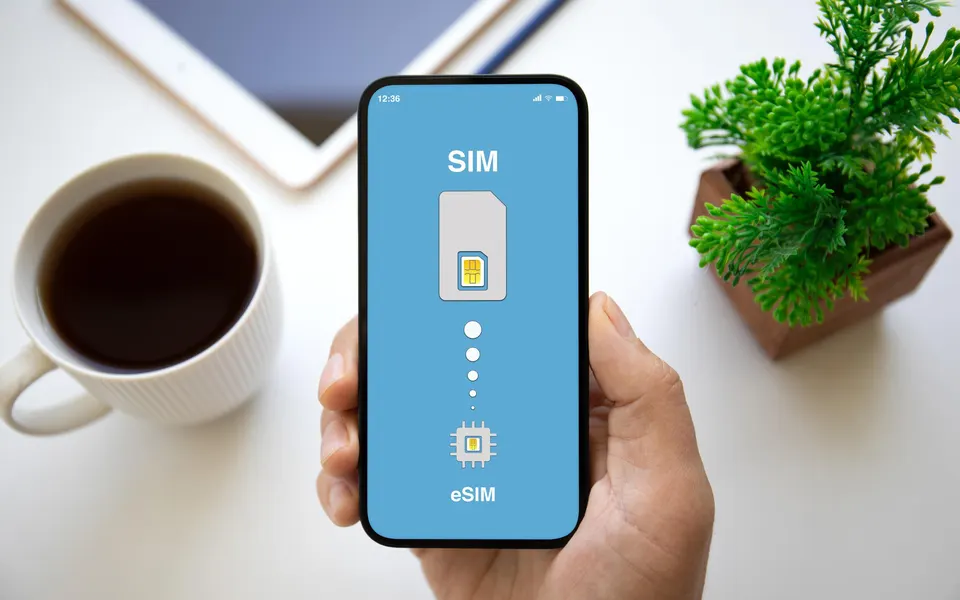
Best eSIM for Traveling to the United States During the FIFA World Cup 2026
The 2026 FIFA World Cup is set to take over cities across the United States, from packed stadiums to buzzing fan zones and if you’re traveling in, staying connected isn’t optional, it’s essential.
You’ll be relying on your phone for everything: navigating unfamiliar streets, calling rides, checking match schedules, finding restaurants, and sharing those once-in-a-lifetime moments in real time. But here’s the problem, international roaming charges can drain your wallet faster than a last-minute goal.
That’s where eSIM technology changes the game. No physical SIM swaps, no hunting for local stores, no stress. With just a few taps, you can activate a data plan before you even land and stay connected the moment you arrive in the U.S.
In this guide, you’ll discover:
- The best eSIM options for the USA during the World Cup
- A simple step-by-step setup guide (even if you’ve never used eSIM before)
- Smart tips to avoid roaming fees and stay online 24/7 throughout the tournament
Whether you’re traveling from Africa, Europe, or anywhere else in the world, this guide will help you stay connected, save money, and focus on what really matters; enjoying every second of the World Cup experience.
Why Use an eSIM for the World Cup?
During a global event like the 2026 FIFA World Cup, staying connected should be simple, but traditional SIM cards often make it stressful.
Imagine landing in the U.S. after a long flight, only to face: long queues at airport kiosks, overpriced tourist SIM packages, or worse; compatibility issues with your phone. Add international roaming fees on top, and you could end up spending way more than expected just to stay online.
That’s exactly why eSIM is becoming the go-to solution for modern travelers. It removes the hassle completely and gives you instant access to mobile data the moment you land, or even before takeoff.
With an eSIM, you get:
- Instant activation — no waiting, no physical SIM needed
- Affordable data plans — far cheaper than roaming charges
- No SIM swapping — keep your main number active
- Reliable coverage across multiple cities
Best eSIMs for USA (World Cup 2026)
When attending the 2026 FIFA World Cup in USA, choosing the right eSIM isn’t just about staying online, it’s about reliability across cities, strong speeds in crowded areas, and value for money, so here is why Saily is the best eSIM options for USA:
Saily eSIM
- Secure, privacy-first connectivity
- Stable speeds across major United State cities
- Easy setup with instant activation
Saily eSIM is a strong choice for travelers heading to the FIFA World Cup 2026 in United States, especially if you want a secure, reliable, and hassle-free data experience while moving between host cities.
1. Secure & Private Connection
When traveling internationally, you’ll often connect to unfamiliar networks and public Wi-Fi — which can expose your data.
With Saily, you benefit from a security-focused connection, helping protect:
- Personal accounts (email, banking, social media)
- Sensitive transactions and logins
- Your overall browsing activity
Why it matters: During a global event like the World Cup, you’ll be online constantly, security isn’t optional.
2. Reliable Speeds in Major Cities
Saily performs well in key USA host cities;
You can expect smooth performance for:
- Navigation and maps
- Ride-hailing apps
- Booking tickets and reservations
- Social media and content sharing
While not unlimited-focused, it offers a great balance of speed and stability for everyday use.
3. Perfect for Multi-City Travel
The FIFA World Cup 2026 in USA involves moving across multiple cities, and Saily handles that seamlessly.
Whether you’re:
- Traveling between match venues
- Exploring different cities
- Moving between hotels and fan zones
…you’ll stay connected without needing to switch networks or plans.
Why it matters: No interruptions while navigating or accessing match updates on the go.
4. Quick Setup & Instant Activation
Saily is designed for simplicity, even first-time users can get started
How it works:
- Purchase your plan online
- Receive a QR code instantly
- Scan and install via your phone settings
- Activate when you arrive in USA
You’re connected in minutes, no queues, no SIM swaps.
Pro Tip: Install before departure so your internet works immediately after landing.
5. Smart Tips for Using Saily in USA
- Use dual SIM:
- Saily → Data
- Primary SIM → Calls & SMS
- Saily → Data
- Manage your data:
- Turn off background app updates
- Limit heavy apps if on smaller plans
- Turn off background app updates
- Choose the right plan:
- Light use → 3–5GB
- Moderate use → 8–15GB
- Heavy use → Higher data plans recommended
- Light use → 3–5GB
Why Choose Saily for USA?
Saily is ideal if you want:
- A secure and reliable connection
- Consistent performance in major cities
- A simple, no-stress setup
- A balanced plan without overspending
It’s a smart choice for travelers who want dependable connectivity without the complexity.
Best for: Travelers who want a secure, stable, and easy-to-use eSIM while enjoying every moment of the FIFA World Cup 2026 across the United States.
How to Set Up Your Saily eSIM for USA (Step-by-Step Guide)
Setting up your Saily eSIM for the FIFA World Cup 2026 in USA is quick, smooth, and designed for travelers. Follow this refined step-by-step process to get connected before you land and instantly upon arrival.
Step 1: Choose the Right Saily Plan
Start by selecting a United States-specific Saily data plan that fits your trip.
Consider:
- Coverage: Works across cities like Seattle, New Jersey, New York and Boston
- Data usage: Maps, ride apps, social media, streaming
- Trip duration: Match your stay (7–30 days options available)
Tip:
- Light use → 3–5GB
- Moderate use → 8–15GB
- Heavy use → 20GB or unlimited
Saily offers flexible plans that can be activated within a 30-day window, so you can buy early without stress.
Step 2: Purchase Your eSIM
Once you’ve chosen your plan:
- Visit the Saily website or app
- Select USA as your destination
- Pick your preferred data bundle
- Complete your purchase
After checkout, you’ll receive:
- A QR code for installation
- Setup instructions (manual option included)
This entire process takes just a few minutes.
Step 3: Install Your eSIM (Before Travel)
Install your eSIM while connected to stable Wi-Fi before your trip.
For iPhone:
- Settings → Cellular → Add eSIM
- Tap Use QR Code
- Scan and follow prompts
For Android:
- Settings → Network & Internet → SIMs
- Tap Add eSIM
- Scan QR code and confirm
You can install your eSIM immediately after purchase, no need to wait.
Important:
Ensure your phone is eSIM-compatible and unlocked before buying.
Step 4: Configure Your eSIM
After installation:
- Rename it (e.g., “USA Data”)
- Set Saily as your default data line
- Keep your primary SIM active for calls & OTPs
This dual SIM setup lets you:
- Use affordable data via Saily
- Still receive important messages on your main number
Step 5: Activate on Arrival in the United States
When you land:
- Turn ON your Saily eSIM
- Enable Data Roaming (required for most eSIMs)
- Ensure Saily is selected for mobile data
Your eSIM will automatically connect to a local network and activate once you arrive.
No manual activation needed, it just works.
Step 6: Test Your Connection
Once connected:
- Open a browser or app
- Confirm internet access
- If needed, toggle Airplane Mode ON/OFF
This refresh helps your phone lock onto the best available network.
Pro Tips for USA Travel
- Set up before departure → avoid airport stress
- Disable your primary SIM data roaming → prevent extra charges
- Turn off background data for heavy apps
- Use Wi-Fi for large downloads when possible
Final Setup Insight
With Saily, the process is built for simplicity:
- Install before travel
- Land in the United States
- Connect automatically
That means zero queues, zero SIM swaps, and instant internet from the moment you arrive, exactly what you need during the FIFA World Cup 2026.
Tips for Using eSIM During the World Cup
Using an eSIM during the 2026 FIFA World Cup is already a smart move, but using it correctly will save you even more money, stress, and data. Here are some practical tips to make sure you stay connected smoothly throughout the tournament:
1. Buy and Set Up Before You Travel
Don’t wait until you land. Purchase and install your eSIM while you still have stable Wi-Fi at home.
This means:
- No airport queues
- No last-minute confusion
- Instant connectivity the moment you arrive
You literally land and your internet is already working.
2. Choose Enough Data for Your Needs
World Cup travel uses more data than you think. Between:
- Streaming match highlights
- Using maps and ride apps
- Posting on Instagram, TikTok, or X, data can disappear fast.
Tip:
- Light use → 3GB–5GB
- Moderate use → 10GB+
- Heavy use (content creation) → Unlimited plan
3. Keep Your Primary SIM Active (Dual SIM Setup)
One of the biggest advantages of eSIM is that you can use two lines at once:
- eSIM → Data (internet, maps, apps)
- Your regular SIM → Calls, SMS, OTPs, banking alerts
This way, you don’t lose access to important messages while enjoying affordable data abroad.
4. Check Device Compatibility First
Before buying any eSIM, confirm your phone supports it.
Most compatible devices include:
- iPhones from XS and newer
- Modern Android phones (Samsung, Google Pixel, etc.)
If your device doesn’t support eSIM, it simply won’t work, so always double-check in your settings.Also turn off background data for apps like cloud backups or auto-updates, they can quietly drain your data without you noticing.
Where You’ll Need Data Most
During the 2026 FIFA World Cup, your phone becomes your ultimate travel companion, and your data connection is what keeps everything running smoothly. From matchday logistics to everyday convenience, here’s where you’ll rely on internet access the most:
- Navigation between stadiums & cities: Moving around places like New York City, Los Angeles, and Dallas requires constant use of maps, directions, and transit updates.
- Ride-hailing apps (Uber, Lyft) : Getting around quickly and safely will depend heavily on apps like Uber and Lyft, especially after late-night matches.
- Booking tickets, hotels & reservations: Last-minute changes happen during big tournaments. Whether it’s match tickets, accommodation, or restaurants, you’ll need instant access online.
- Streaming match highlights & replays: Can’t catch every game live? You’ll be watching highlights, clips, and analysis on the go.
- Sharing content on social media: From stadium selfies to match reactions, apps like Instagram, TikTok, and X will be running non-stop.
Frequently Asked Questions (FAQs)
Is eSIM better than roaming?
Yes, eSIM is significantly cheaper and more reliable than international roaming. Instead of paying high daily charges from your home network, you get local data rates with better performance.
Can I use eSIM across multiple U.S. cities?
Absolutely. All recommended providers offer nationwide coverage, so whether you’re in Miami, Houston, or San Francisco, your connection remains stable.
Do I need a physical SIM card?
No, eSIM is completely digital. Everything is installed directly on your phone, so there’s no need to swap or insert anything.
Can I recharge or top up my plan?
Yes. Most providers like Airalo, Holafly, and Nomad eSIM allow you to top up data instantly through their apps or websites.
Will my WhatsApp number still work?
Yes. If you keep your primary SIM active, apps like WhatsApp will continue working normally, your number doesn’t change.
Conclusion
Staying connected during the 2026 FIFA World Cup across the United States is essential. From navigating busy host cities to capturing and sharing unforgettable moments, your mobile data will power your entire experience.
That’s why an eSIM isn’t just a convenience,it’s your digital survival tool throughout the tournament. No queues, no SIM swaps, no outrageous roaming fees. Just instant, reliable connectivity wherever the game takes you.
The smart move?Set everything up before you travel, choose a plan that matches your usage, and arrive fully connected from the moment you land. Because when the goals start flying in and the atmosphere hits its peak, the last thing you want to worry about, is your network.